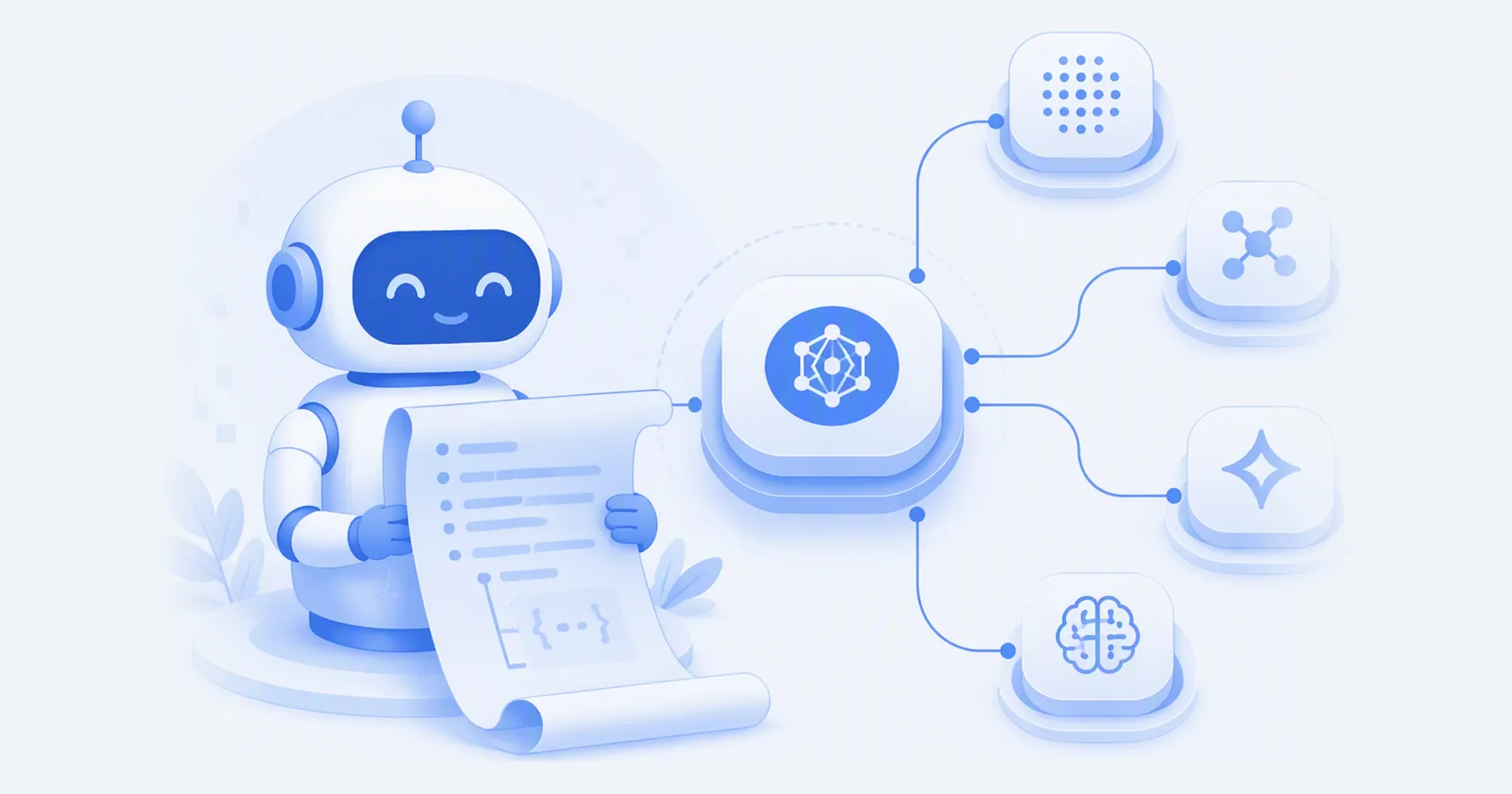
Tl;dr AIHubMix now ships a set of agent-readable access surfaces: your coding agent can discover models, generate calls, and verify them on its own, then hand a preconfigured Playground session back to you. Getting started is one sentence to your agent: Fetch https://aihubmix.com/agents.md and follow it. The full list of entry points lives in the Agent Access docs.
More and more developers run their agentic workflows through coding agents such as Claude Code, Codex, and Cursor: picking models, writing calls, and tuning parameters are all delegated. The AIHubMix AI gateway puts 800+ models behind one API key across four wire protocols, OpenAI-compatible endpoints included, and this release lets your agent read all of it directly.
What shipped?
- agents.md: an onboarding guide written for agents to execute, covering key checks, live model discovery, per-protocol calls, end-to-end verification, and troubleshooting.
- Per-model llms.txt: 850+ models, each with a machine-readable integration guide at a fixed address (
https://aihubmix.com/model/{model_id}/llms.txt); thellms.txtchip on every model page links straight to it. - Playground Skill and handoff links: the Skill hands trial, tuning, comparison, and media generation to your agent; deep links let the agent hand a preconfigured session back to your browser, and the
?models=parameter opens up to 6 ready-to-run model tabs from one link.
Why do agents need machine-readable access?
When an agent guesses model IDs, prices, and parameters from its training memory, the calls it produces tend to fail: stale ID spellings, unsupported parameters, outdated pricing. Machine-readable surfaces give the agent this information live and structured. Take the llms.txt for gemini-3.7-flash: one fetch gives an agent every fact it needs to generate a correct call:
- Developer: Google
- Context window: 1,048,576 tokens
- Input modalities: text, image, audio, video
- Capabilities: Thinking, Streaming, Tool calling, Web search, URL context,
  Code interpreter, Computer use, File search, Structured outputs, Prompt caching
- Pricing: $0.75/M input tokens, $3.75/M output tokens, $0.075/M cached input
This file is live right now: curl -s https://aihubmix.com/model/gemini-3.7-flash/llms.txt verifies it. The verification rule in agents.md also requires agents to inspect the response body and the echoed model; an HTTP 200 alone does not count as success.
A full walkthrough: model picking, A vs B comparison, and handoff
Say you need a low-cost chat model for a customer-support bot. Hand the Skill to your agent first:
Run curl -fsSL https://aihubmix.com/skills/playground and follow it.
Step 1: live model discovery. The agent reads the no-auth model catalog, filters candidates by price and capability, then fetches each candidate's llms.txt to confirm support for tool calling and structured outputs.
Step 2: same-prompt comparison. The agent runs the same prompt against each candidate and reports actual outputs, measured latency, and catalog pricing per model. The Skill has cost disclosure built in: before batch calls, the agent quotes the price and asks for your go-ahead.
Step 3: hand it back to you. The agent generates a Playground deep link. Open it in your browser and the session is already configured: model, parameters, and system prompt in place, with a draft prefilled in the composer but not sent. Whether it fires is your call.
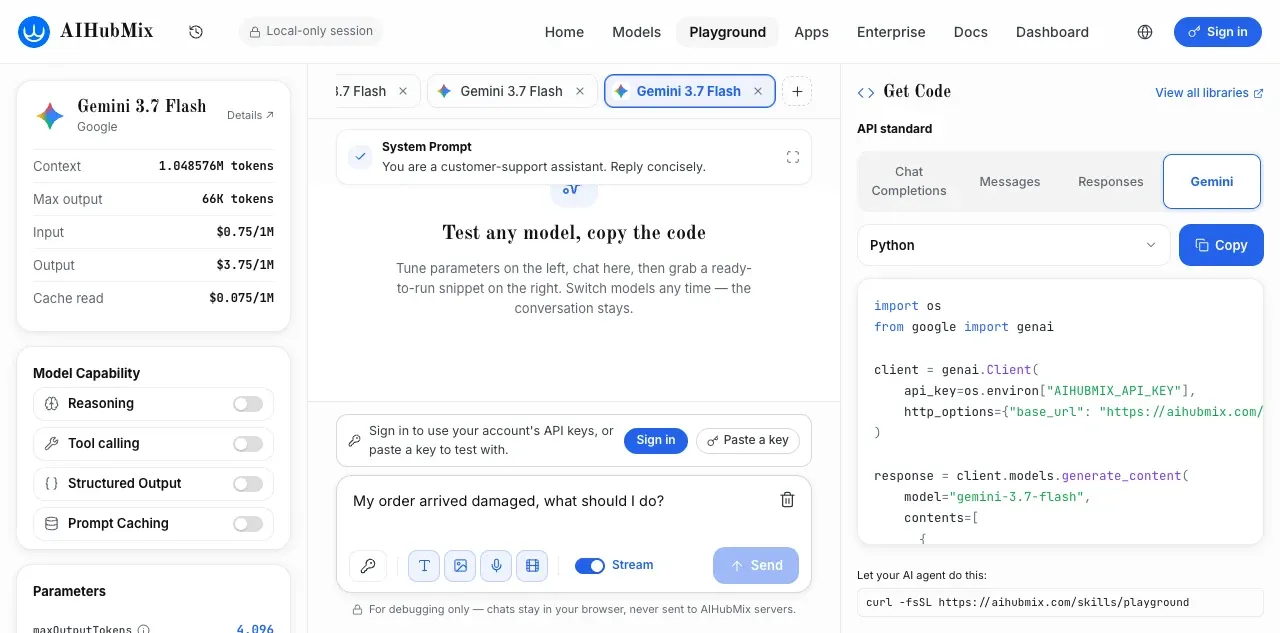
Two real links you can open right now:
- Open two ready-to-run model tabs from one link (the
?models=parameter, up to 6; switch between tabs) - Need specs and pricing side by side? The agent can also hand over a main-site compare link such as Gemini 3.7 Flash vs Claude Opus 4.1 (the
compare/{a}/{b}pattern, also listed in every llms.txt) - The deep link produced by Step 3 of this walkthrough (the customer-support scenario: system prompt, parameters, and composer draft all in place; the screenshot above is this link opened)
From the agent's point of view the whole flow is four commands, each copy-paste verifiable:
# 1. Read the onboarding guide
curl -s https://aihubmix.com/agents.md
# 2. Read the live catalog to pick candidates
curl -s "https://aihubmix.com/api/v1/models?type=llm&sort_by=order"
# 3. Read a candidate's machine-readable guide
curl -s https://aihubmix.com/model/gemini-3.7-flash/llms.txt
# 4. Minimal real call to verify connectivity (the body must contain the exact requested reply)
curl -s https://aihubmix.com/v1/chat/completions \
  -H "Authorization: Bearer $AIHUBMIX_API_KEY" -H "Content-Type: application/json" \
  -d '{"model":"gemini-3.7-flash","messages":[{"role":"user","content":"Reply with exactly: AIHubMix is connected"}],"max_tokens":64}'
You do exactly two things in this flow: send one sentence to your agent, and take over the result in your browser. Try it now:
Fetch https://aihubmix.com/agents.md and follow it.

Which entry point for which job?
| You want to | Use |
|---|---|
| Integrate AIHubMix into a project | agents.md |
| Teach your agent one specific model | that model's llms.txt (the chip on its page, or the fixed address) |
| Try, tune, compare, generate media | the Playground Skill |
| Hand a configured session or a set of models back to a human | Playground deep links (?config= for a preconfigured session, ?models= to open multiple tabs) |
| Show a human two models' specs and pricing side by side | the compare page, aihubmix.com/compare/{a}/{b} (for example GLM 5.3 vs GLM 5.2) |
What design principles do these follow?
- Only verified information gets published. A model's llms.txt carries capability and endpoint claims only after verification; models not yet verified serve a short notice pointing at the live catalog and parameter schemas, with no unverified claims.
- Deep links carry no credentials and work exactly once. Link parameters are cleared from the address bar on load, and the payload never contains a key.
- Costs are disclosed before money is spent. The Skill requires the agent to quote catalog prices and ask for consent before batch calls and media generation.
What's next?
The MCP endpoint currently serves image generation, with broader capability coverage in progress; model verification keeps expanding, and a newly verified model's llms.txt upgrades to a full guide automatically. If you hit anything odd, tell us through Feedback.
FAQ
Do these entry points require credentials?
Every machine-readable surface (agents.md, llms.txt, per-model llms.txt, the Skill file, the model catalog) is readable with no auth at all. An AIHubMix API key is only needed for real model calls: pass it through an environment variable, created in the console.
Which agents are supported?
Any coding assistant that can run shell commands or fetch URLs, including Claude Code, Codex, Cursor, Cline, Gemini CLI, and OpenCode. The Skill file follows the open Agent Skills specification and can also be installed with npx skills add AIhubmix/skills.
Where is the full list of entry points?
See Agent Access in the docs: agents.md, site and per-model llms.txt, both Playground Skill addresses, deep link parameter formats, and the code generation packages, each with a copy-paste command.
Send this sentence to your agent and start now:
Fetch https://aihubmix.com/agents.md and follow it.