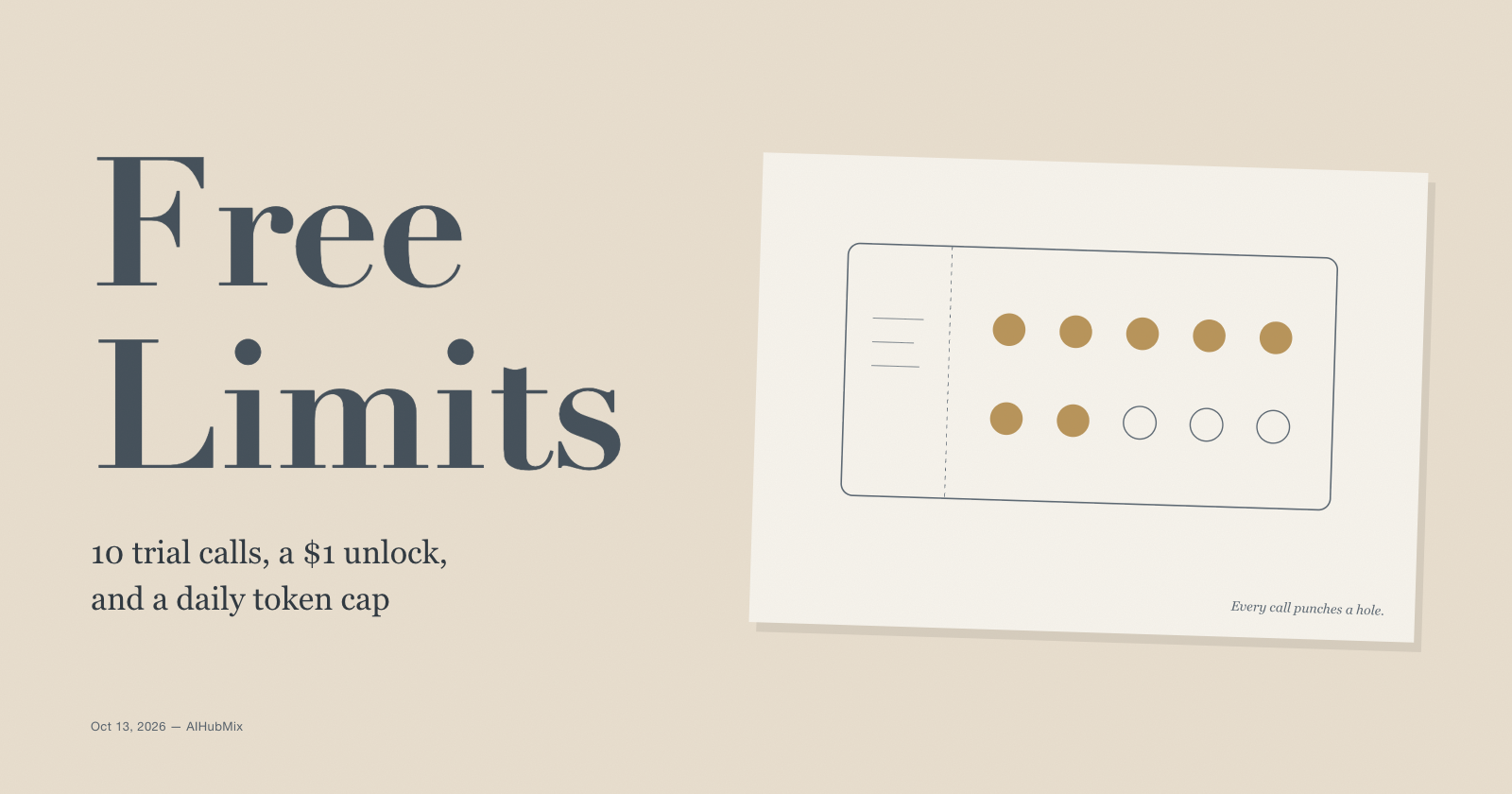
To unlock AIHubMix's free models for everyday use, you need one top-up of $1 or more. The $1 amount works through the Alipay option on the top-up page, paid from the Alipay app. Card checkout through Stripe, including the Alipay button inside the Stripe checkout, starts at $15.
After any top-up of $1 or more, the AIHubMix free models page says your account "permanently" switches to daily quotas: 100 requests a day, 10 a minute, and 1M tokens a day across all free models. It's a one-time step, not a subscription.
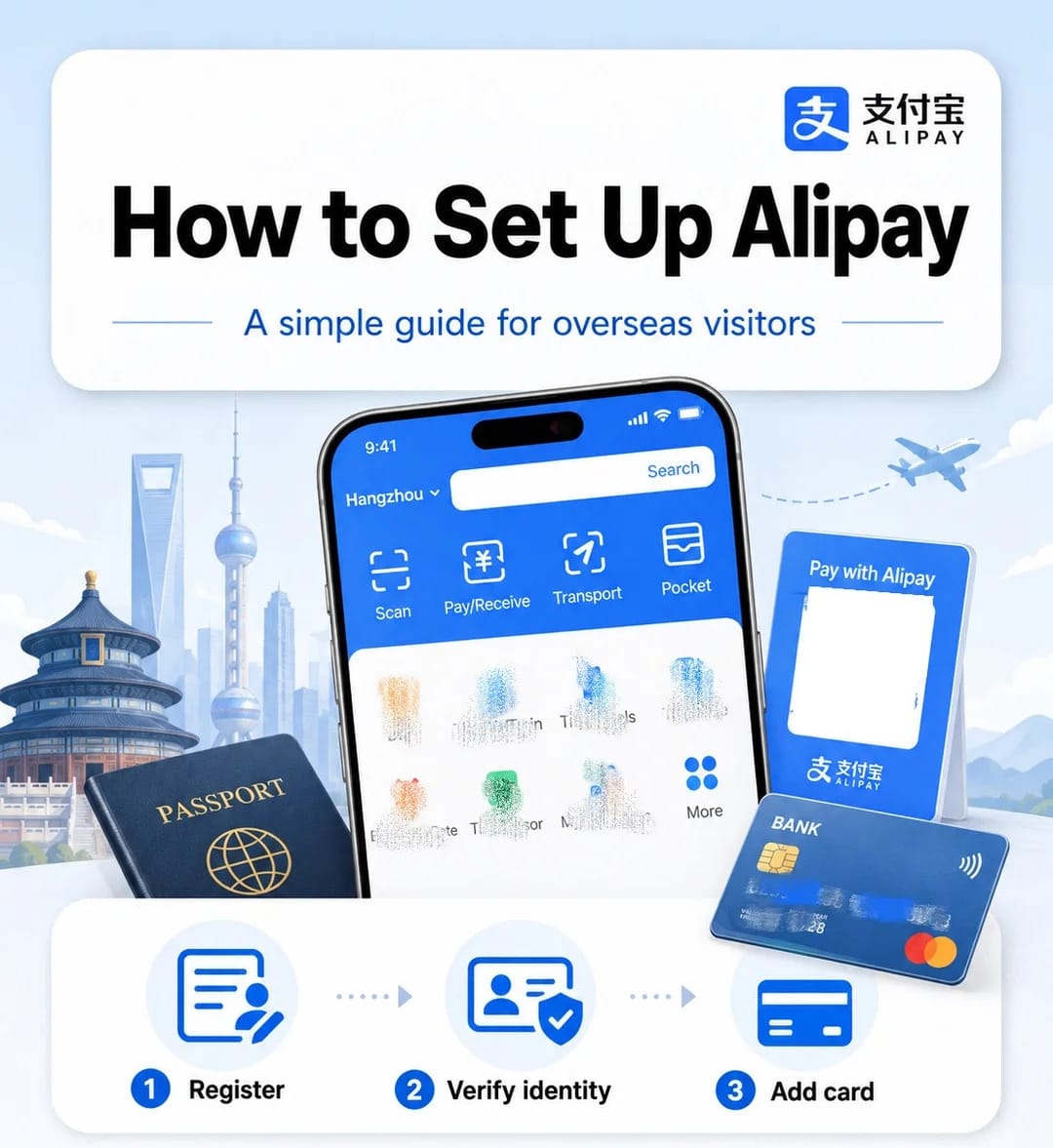
If you don't have Alipay yet, setting it up takes three things: a phone number that can receive SMS, your passport, and an international bank card. Below: how to set up Alipay, how to pay the $1, and what to do when the payment doesn't go through.
Part 1: Set up Alipay (about ten minutes)
Alipay is a Chinese payment app. You can use it from outside mainland China with an eligible card issued in your own country, without a Chinese bank account.
Before you start
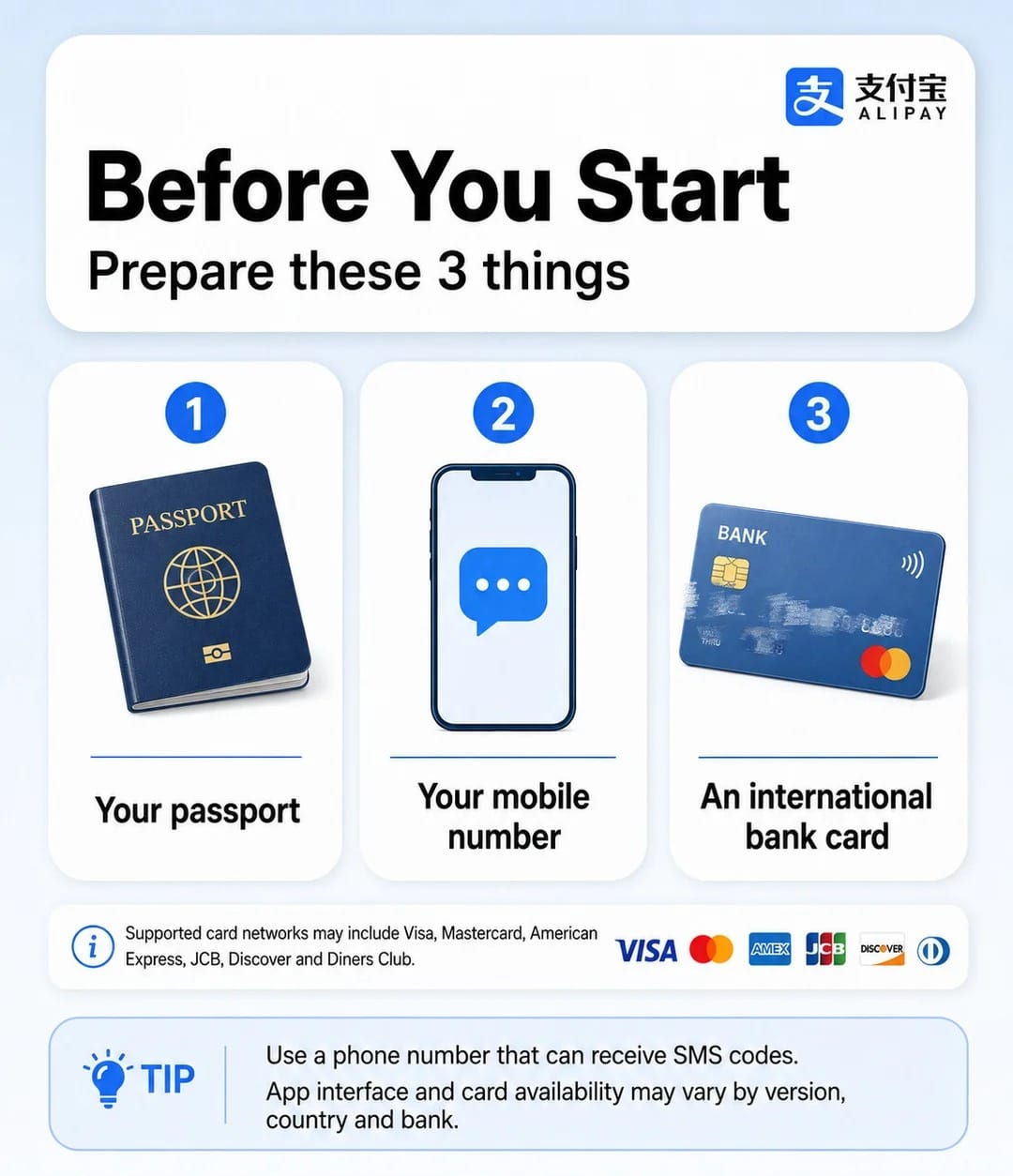
- A phone number that can receive SMS codes. An overseas number usually works. A data-only eSIM won't receive codes sent to your home number.
- Your passport, in case the app asks you to verify your identity.
- An international bank card. Alipay accepts cards on major networks such as Visa, Mastercard, Discover and Diners Club, and the add-card screen may list others, such as JCB and American Express. Whether your particular card is accepted depends on the bank that issued it.
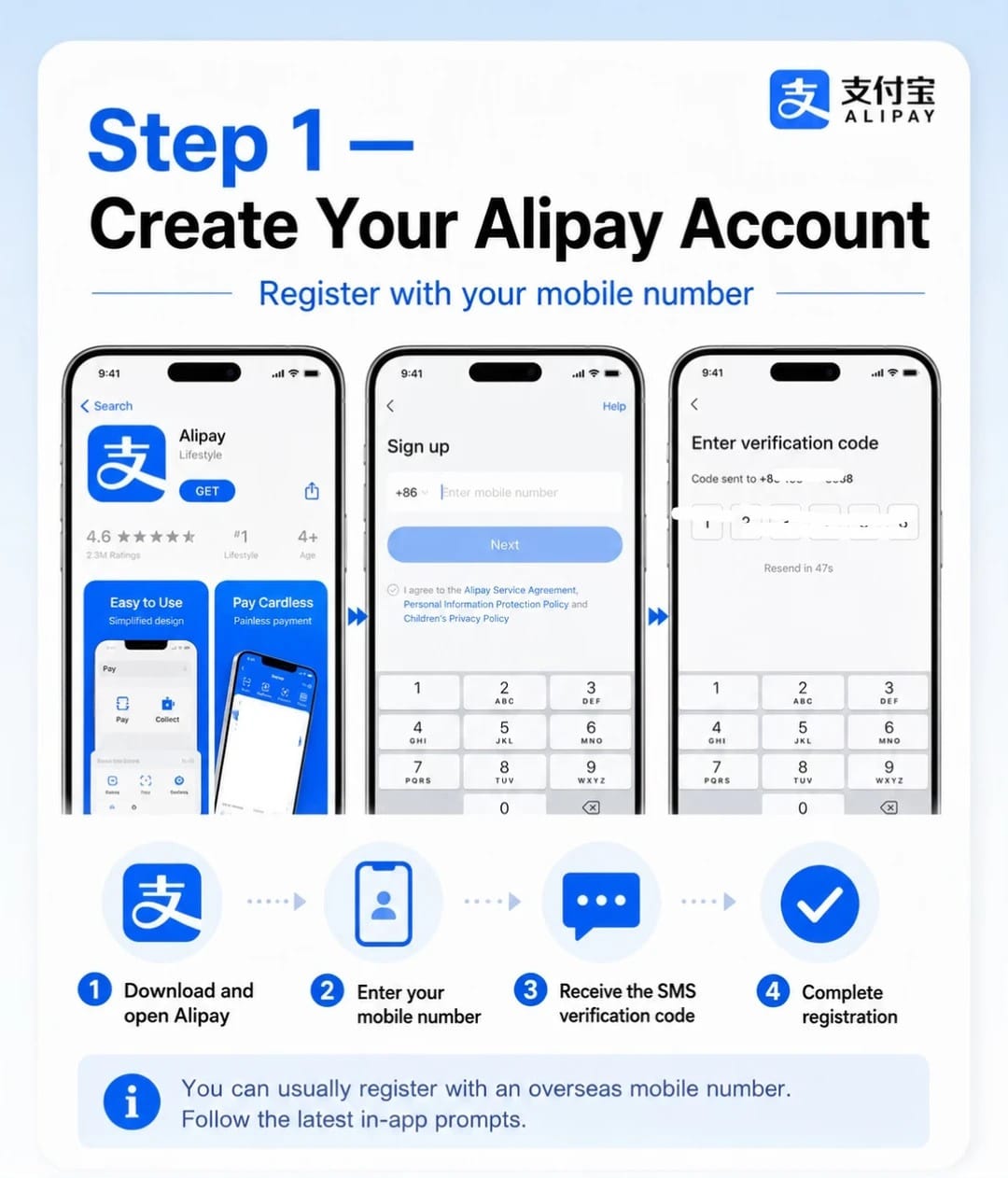
Step 1: Create your account
- Download Alipay from your app store and open it. Use the mainland Alipay app, not AlipayHK.
- Choose your country code and enter your mobile number.
- Enter the SMS verification code.
- Finish registration.
You don't need to switch to a separate "international version". Follow the current in-app prompts, which can vary by app version.
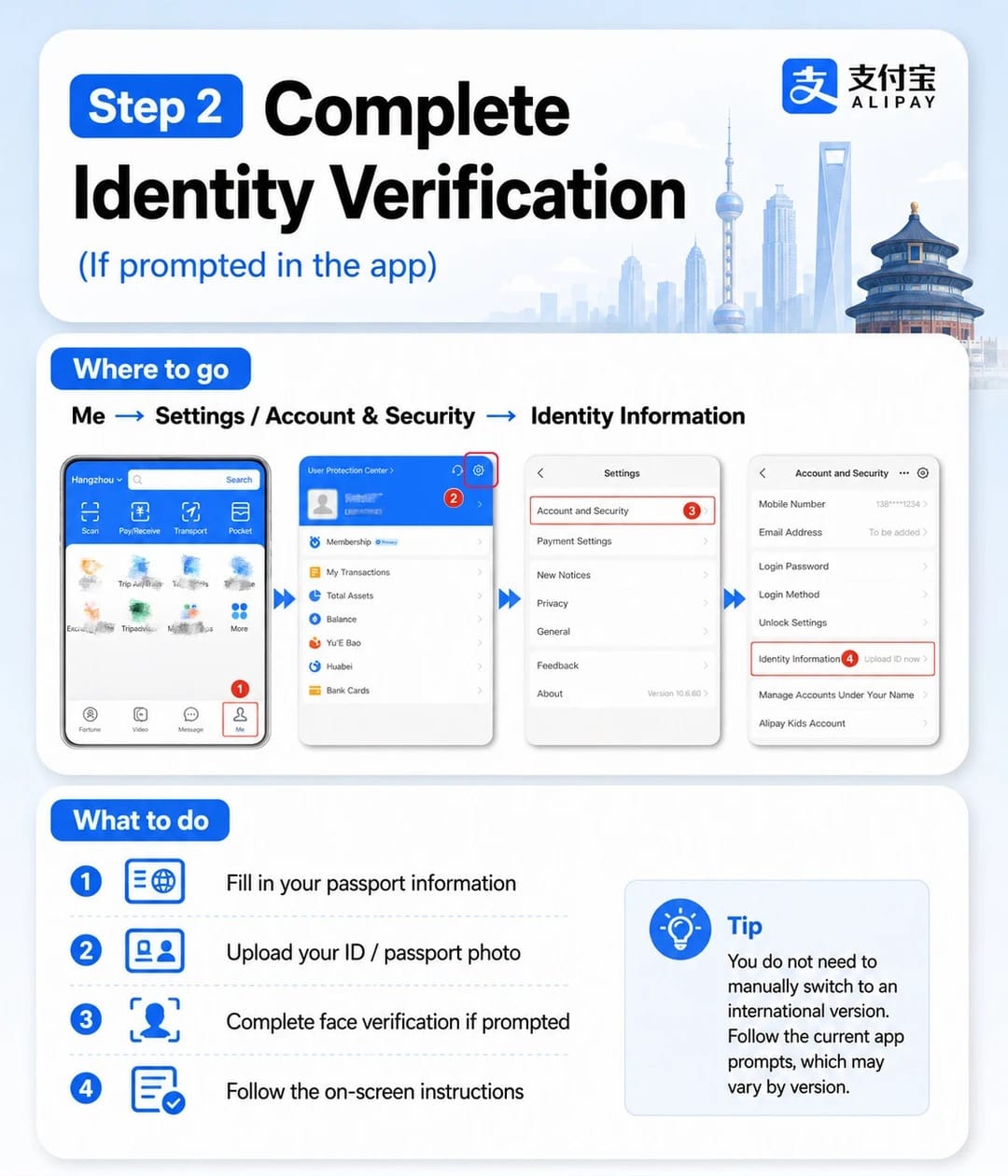
Step 2: Verify your identity (if the app asks)
Go to Me → Settings → Account and Security → Identity Information. Then:
- Fill in your passport information exactly as it appears on the passport.
- Upload a photo of your passport.
- Complete face verification if prompted.
- Follow the remaining on-screen instructions.
Registration, card approval and identity checks are separate, so the app may not ask for your passport before a small first payment. If the app doesn't ask, you can skip this step for now.
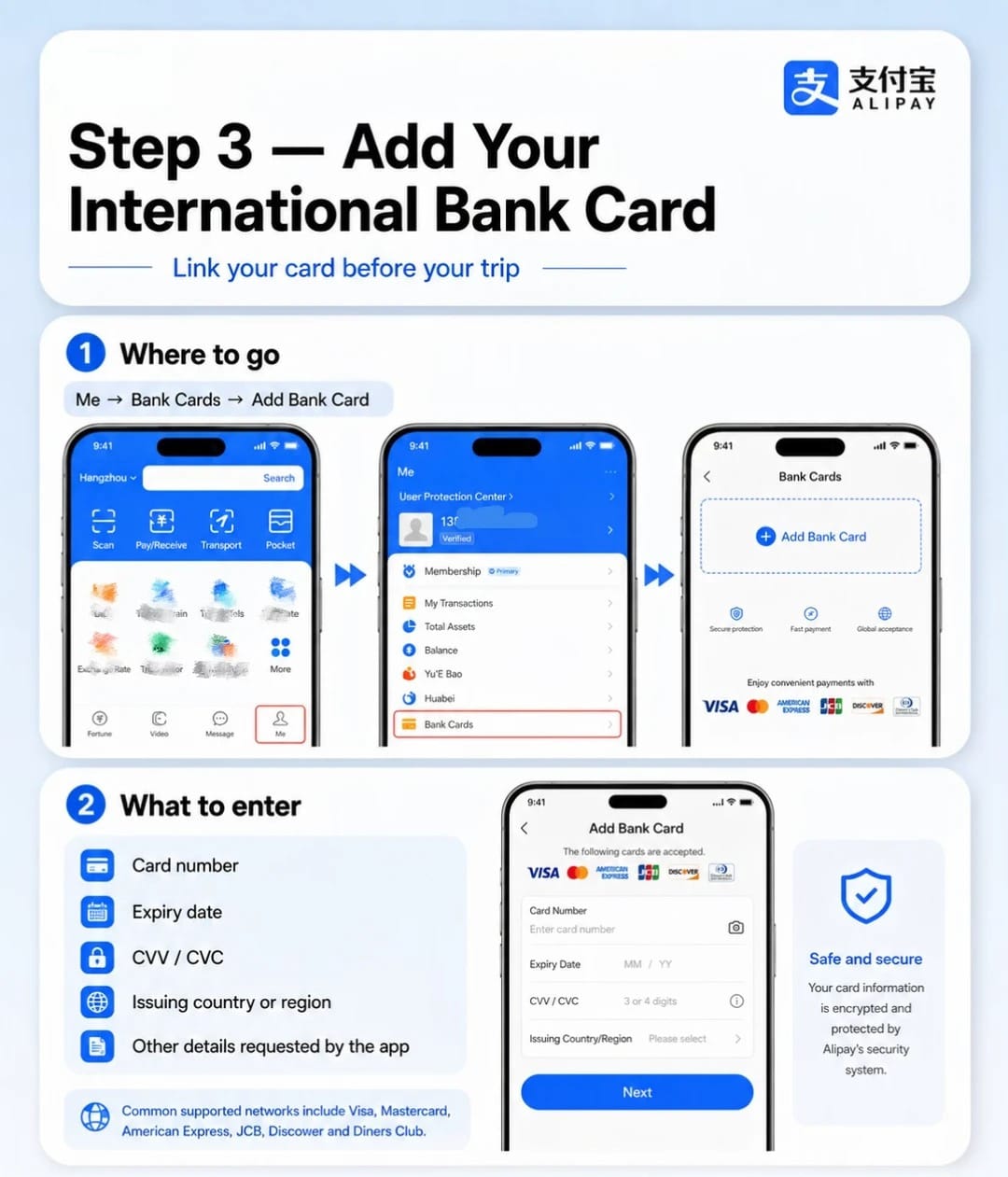
Step 3: Add your card
Go to Me → Bank Cards → Add Bank Card and enter:
- card number
- expiry date
- CVV/CVC
- issuing country or region
- any other details the app requests
Your bank may then ask you to approve the card, for example with a code or a notification in your banking app. Complete that step, then check that the card shows up under Bank Cards.
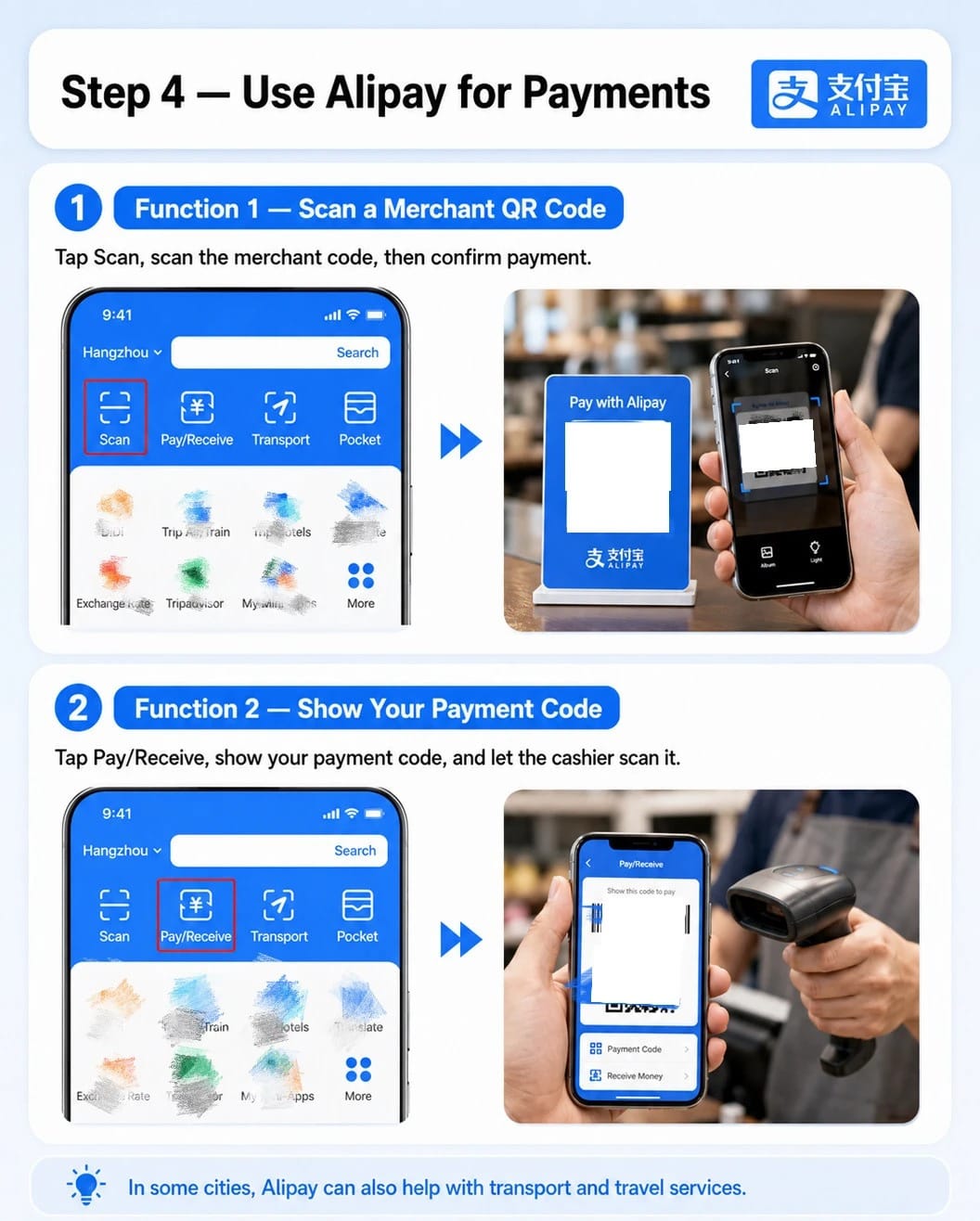
Step 4: Know the two ways to pay
The Alipay home screen has two payment buttons:
- Scan opens the camera so you can scan a QR code shown by a merchant, then confirm the payment.
- Pay/Receive shows your own payment code for a cashier to scan.
For a website payment shown as a QR code, Scan is the one you need.
Part 2: Pay $1 on AIHubMix
- Log in to AIHubMix and open Account → Credits in the left sidebar.
- Under Manual top-up, type 1 in the custom amount box, the one marked $ next to $10, $50 and $100.
- Click Alipay. Don't click Card: card payments go through Stripe and start at $15.
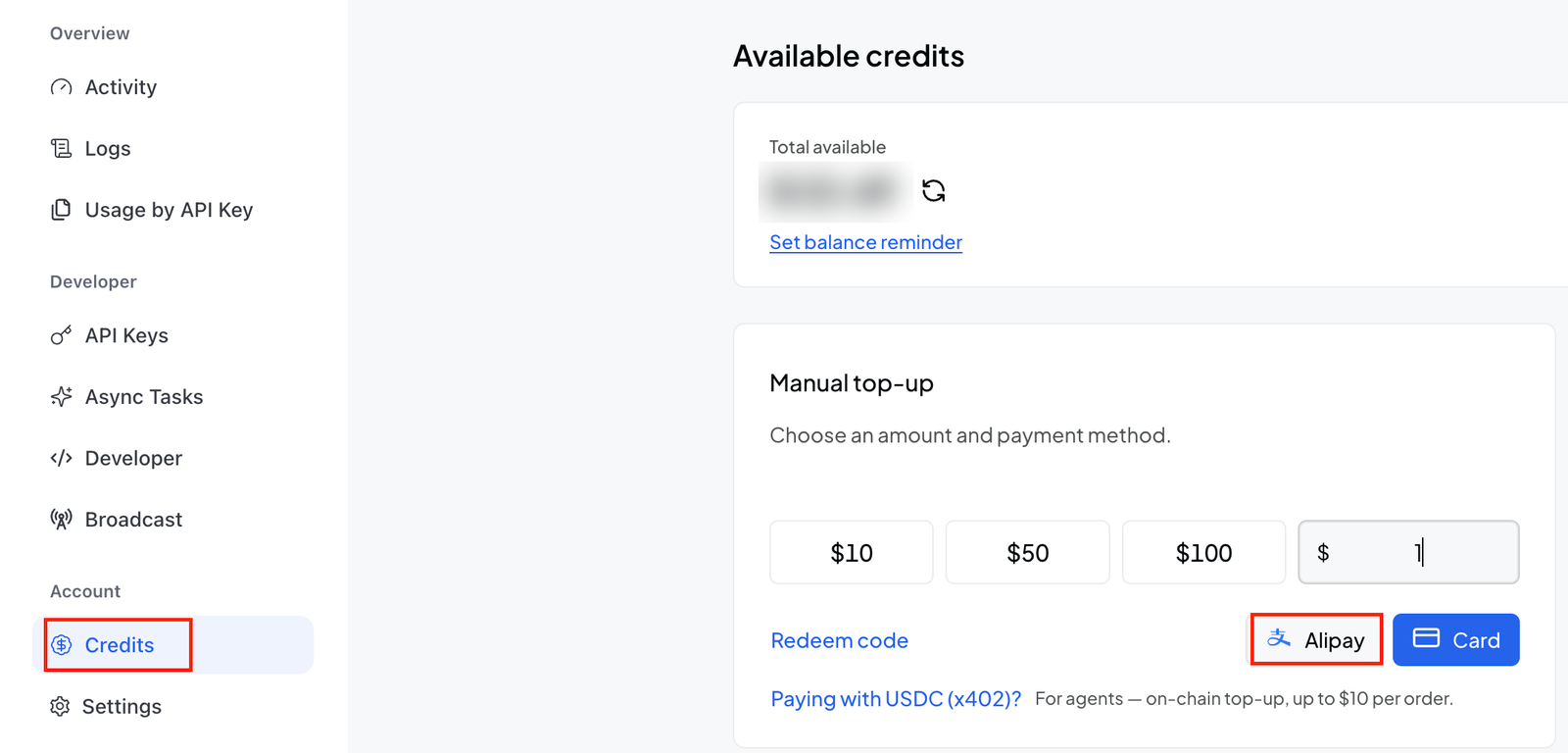
- On a computer, the page should show a QR code: open Alipay, tap Scan, and scan it. On a phone, the page may hand you over to the Alipay app instead.
- Check the amount and confirm the payment in Alipay.
- Go back to Credits and check that Total available shows the top-up.
From then on, free models run on daily quotas instead of the 10 trial calls. You don't need a new API key, and nothing changes in your JanitorAI setup.
If the page layout changes, labels on your screen may differ slightly from the screenshot. The rule stays the same: the $1 amount goes through Alipay, not Card.
What it costs
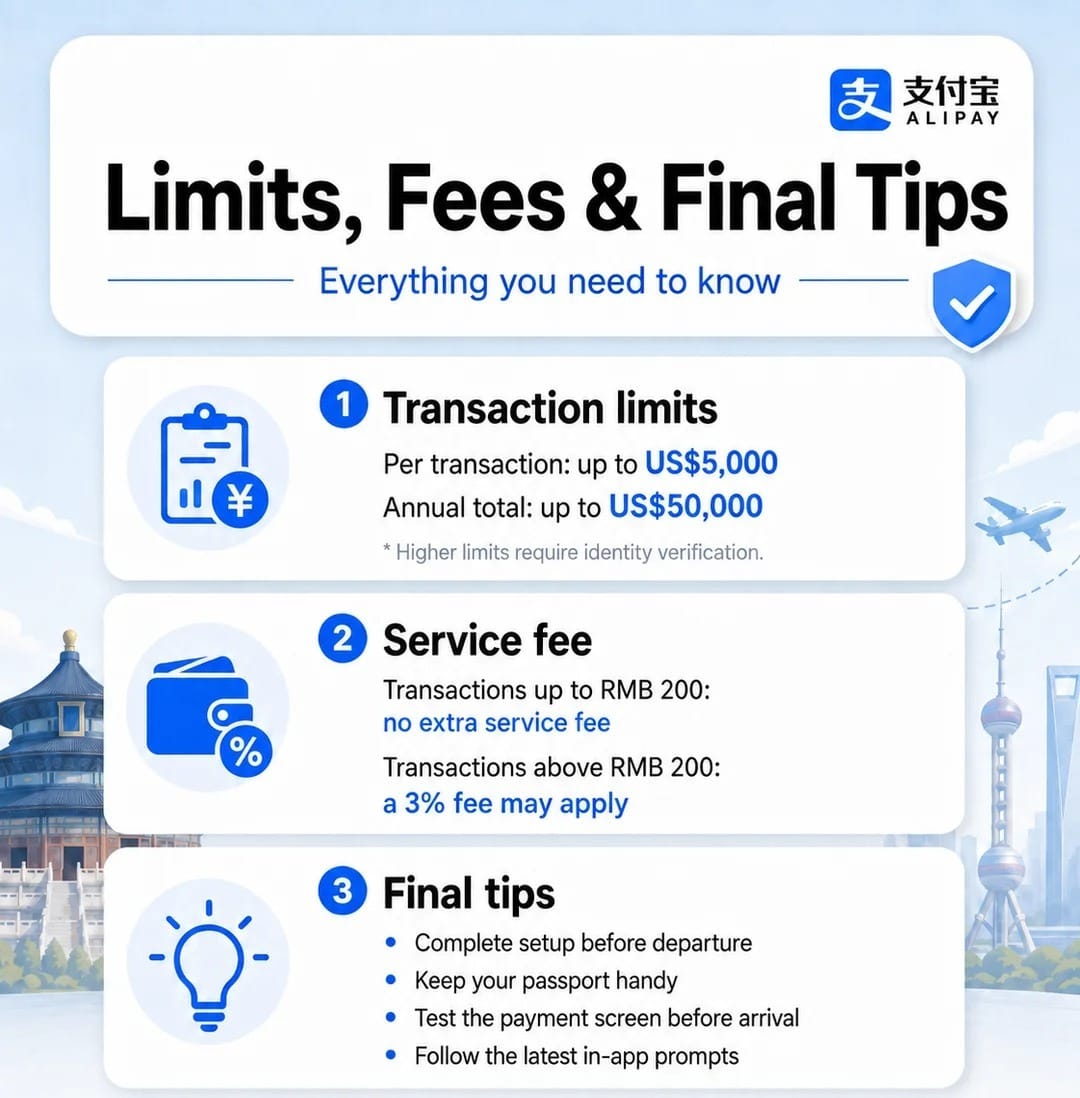
For cards issued outside mainland China, the published fees and limits are:
| Rule | Value |
|---|---|
| Service fee up to 200 yuan | Generally none |
| Service fee above 200 yuan | Up to 3% of the full amount |
| Single payment limit | Up to $5,000 |
| Annual limit | Up to $50,000 |
A $1 top-up is far below 200 yuan, so the Alipay service fee shouldn't apply. Your own bank may still charge a currency conversion or foreign transaction fee; that depends on your card, not on Alipay or AIHubMix. Fees and limits can change, so check the amount and any fee shown on the Alipay payment screen before you confirm.
When it doesn't work
The page still asks for $15
You're in the Stripe checkout. Go back and choose the separate Alipay option on the top-up page.
The SMS code never arrives
Check the country code, make sure the SIM can receive SMS, and wait for the resend timer. Don't create a second account to get around it.
Alipay won't add your card
Check the card details first. Some issuers or card products aren't eligible even when the network logo is shown. Look in your bank's app for a declined authorization, ask the bank, or try a card from a different bank.
The payment is declined
Your bank may block international or online payments by default. Check your banking app's settings and available funds. If your bank declines the payment, Alipay can't override it.
You paid, but the balance hasn't changed
Check the transaction history in both Alipay and the AIHubMix console before paying again. If the money left your account and the balance didn't change, contact AIHubMix support with the payment time and your time zone, the amount, and your account email. Never send card numbers, verification codes, passwords or your API key.
You can't use Alipay at all
You can still top up by card through the Stripe checkout, starting at $15. If neither route works, ask AIHubMix support through the contact page or the official Discord.
Checklist before you pay
- Alipay is installed and registered with a number that receives SMS.
- Your card appears under Me → Bank Cards, approved by your bank.
- Your bank allows international online payments.
- On the Credits page, you clicked Alipay, not Card.
- The amount entered is 1.
- You know where to find the payment in Alipay's transaction history.
FAQ
Why can't I top up $1 by credit card?
Card payments go through Stripe, which starts at $15 on AIHubMix because of Stripe's processing fees on small amounts. The $1 amount is available through the Alipay option.
I chose Alipay and it still says $15. Why?
You probably chose Alipay inside the Stripe checkout, which follows Stripe's minimum. Go back and choose the separate Alipay option on the top-up page.
Do I need a Chinese phone number or a Chinese bank account?
No. Alipay usually accepts overseas mobile numbers, and visitors can link eligible cards issued outside mainland China.
Will Alipay charge me a fee on $1?
The Alipay service fee generally applies only above 200 yuan, so a $1 payment shouldn't incur it. Your bank may still charge a currency conversion fee.
Do I have to top up again every month?
No. One top-up of $1 or more permanently switches the account to daily free quotas.
Do I need a new API key or new JanitorAI settings after topping up?
No. Your existing key and proxy configuration keep working; only the quotas change.
What should I send support if the payment went through but the balance didn't change?
The payment time and your time zone, the amount, and your account email. Never send card numbers, verification codes, passwords or your API key.
Keep reading: the AIHubMix for JanitorAI series
- Topped up and ready? Connect AIHubMix to JanitorAI with the right URL, key and model ID: How to Use AIHubMix Free Models in JanitorAI: Proxy Setup and Common Errors
- Find out what your $1 actually unlocks, and why tokens run out before requests in long chats: AIHubMix Free Model Limits for JanitorAI: 10 Trial Calls, the $1 Unlock, and the Token Cap
- Choose a model that makes the most of the 100 daily requests you just unlocked: Which AIHubMix Free Model to Use for JanitorAI Roleplay
- Before you start a long campaign, see how zero data retention handles your chats on AIHubMix: AIHubMix Supports JanitorAI Roleplay Chat, with Zero Data Retention on by Default
Sources
- Pay with overseas bank cards (Shanghai Municipal Government)
- Overseas Bank Cards Accepted by Weixin Pay and Alipay (Beijing Chaoyang District Government)
- Free AI Models (AIHubMix)
- Contact AIHubMix (AIHubMix)